 HOME
HOME HELP!
HELP!
OK, so things happen. Here are some tidbits to help you get your Vortex back on track!
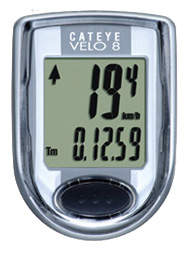
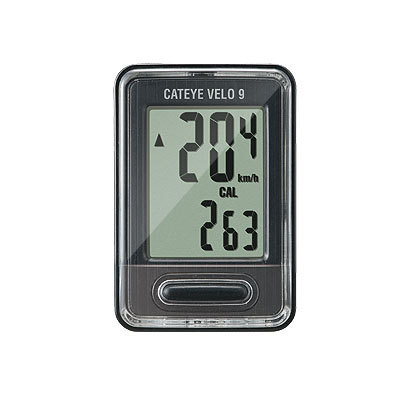
| SETTING THE WS (WHEEL SIZE) FOR THE CATEYE VELO8 OR VELO9 | Click HERE to view or download the instructions for setting the WS for the Cateye Velo 8 and/or Velo9. NOTE: new units are provided calibrated to mph (clock not set). If this is acceptable you do not need to do anything - just connect the wires to the wind sensor and enjoy. But if you want to set the display to kph or knots or if you want to set the clock - refer to these instructions or to the printed Cateye instructions included with the product. NOTE 2: To conserve battery life, do NOT take it out - you will have to recalibrate (reset the WS). Simply disconnect it from the wind sensor by either disconnecting the wires or popping the display out of the backing - this will cause the display to go to "sleep". Reconnecting it will cause it to wake up automatically...
|
|
HOW-TO
|
|
|
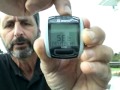
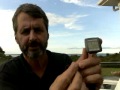
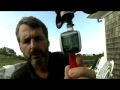
| Setting the WHEEL SIZE | If you have replaced the battery or need to set the WS on one of your displays, here are some Wheel Sizes (WS) and selected instructions on how to do it: This document is helpful for Changing Settings/WS on the Sigma Sport BC1200 For the SIGMA SPORT BC1200 and D2 Rotor (see photos below): For the SIGMA SPORT BC906 and D2 Rotor (see photos below): For the CATEYE Velo8 or Enduro8: For the SIGMA SPORT BC1200 and M1 Rotor (see photos below): |
|
| BC1200 DISPLAY ISSUES |
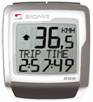
Battery access is right in back of the display. The battery is a CR2032. When you change the battery, make sure to put in the correct WS! The M1 and D2 rotors have different WS numbers. Find your item on this web site and click on the blue MANUALS tab to get to that information! If this display is alive, but there is no wind reading, chances are the wind sensor is not working. Test the display by disconnecting the wind sensor and tapping the bare wires of the display together. This should produce a reading. |
|
| BROKEN D2 ROTOR |
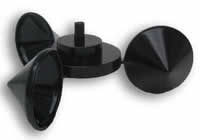
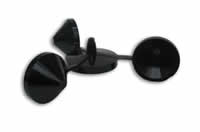
...and this the D2 IF YOU ARE REPLACING AN M1 ROTOR WITH A D2: Replacement rotors come with magnet, shaft, spare circlips, and instructions. |
$12.00 + S&H  |
| BROKEN M1 ROTOR |
Inspeed has offered 2 rotor models - the M1 and the D2. |
No longer available Order a D2 instead |
INSTRUCTIONS |
Vortex Instructions for D2 Rotor and Cateye Velo8 Display (CURRENT): CLICK HERE Vortex Instructions for D2 Rotor and the BC1200 Display: CLICK HERE
If the rotor on your Vortex Hand Held Wind Meter looks like the photo above AND it has a Sigma Sport BC1200 display (silver square with ONE bar button on the top: Vortex Pro-1200 Hand-Held "D2 Rotor" Instructions. This applies to Hand-Helds purchased between May/June 2005 and May/June 2007.
Click here to view or download simplified instructions for the Sigma Sport BC1200 Computer. Vortex "LC " with Pyramid Display Vortex Hand-Held with Sigma Sport BC800 Vortex Hand-Held with Cateye Enduro 2 or 8 |
|
| BC906 Max Speed Problem |
Mid January 2008 we discovered that the BC906 has a max speed of about 70 mph, contrary to our specs and what we thought it could do (the BC1200 goes to about 200.
|
 |